Install the mcx-OS
less than a minute
The following steps explain how to install a image.
-
To start the restore procedure type
mci restore -
Now the prompt will ask you what image you would like to restore. Choose the image that you would like to restore.
-
Second the prompt will ask you to choose the drive where you want to restore your image to.
-
Restoring the image will take some time. When the process is done, check for any errors in the console
Warning
Make sure that the image will fit on your disk. Otherwise your system may not function properly!
-
You will get the message
Donewhen the process is finished.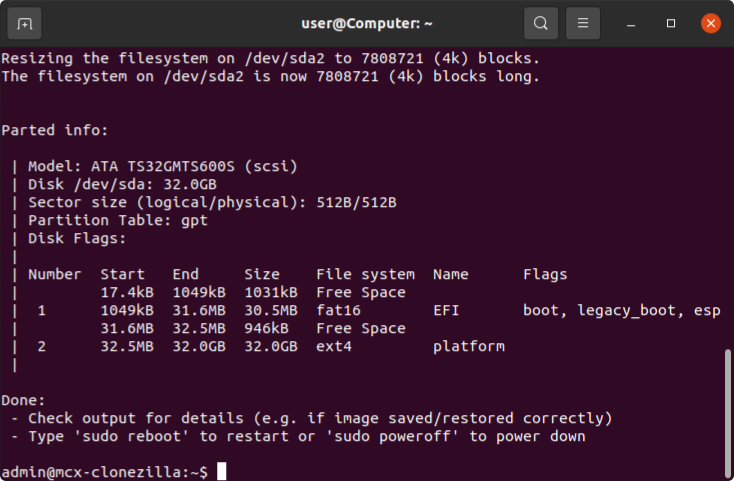
-
Remove the MCX-Clonezilla USB drive.
-
Now you can reboot or poweroff.
sudo reboot -
Wait for a couple seconds for the system to restart.
-
Congratulations you have installed mcx-OS onto your Controller!