Binary package
2 minute read
A binary package holds the compiled application and the libraries it depends on, as Debian packagesA Debian package, a .deb file, is a software package in the format of the apt package manager, which the controller uses to install it.
. It is the part of a project that puts the executable on the controller. The config package then names that executable in motorcortex.conf, so the two go together.
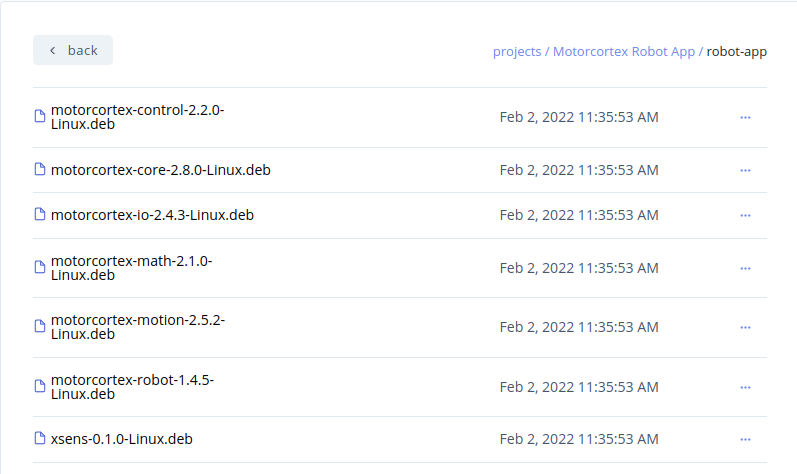
In the Store you find binary packages of Motorcortex libraries and of complete applications, such as Motorcortex-Generic-App or Motorcortex-Robot-App. A binary package of an application may look like this:
What a deploy does
A binary package deploys in three steps, which the portal shows as they run:
- Transferring files. The portal sends the
.debfiles that are new or changed to the controller’s package service. - Updating packages. The controller updates its package lists, as
apt updatedoes. - Installing packages. The controller installs every
.debin the package, not only the ones that were just sent.
If a package fails to install, the deploy stops and the error names the package that failed with its reason.
Your own application
You can build your own application into .deb files and upload them to a binary package, so you deploy it through motorcortex.io like any other. See Developing control applications.